
Marketing Automation
Marketing Automation Software: 6 Platforms Compared for B2B SMEs

Copy for AI
Some links in this article are affiliate links. If you choose a tool through one of them, we may earn a commission. It costs you nothing extra and does not change our assessment.
The best marketing automation software is the one that fits your process.
All of them promise more leads, less manual work and predictable growth. But a tool built for a large SaaS company is often too heavy, or too limited, for a Belgian B2B SME.
The verdict: for most B2B SMEs, ActiveCampaign is the pragmatic start. But the tool follows your strategy, never the other way around.
Below we compare 6 platforms side by side, then one by one.
How we checked: prices come from each vendor’s pricing page, checked 18 October 2026, in the currency the page showed.
Which marketing automation tool fits which B2B team?
Here are the 6 platforms at a glance:
| Tool | Best for | Free option | Paid from (checked 18 October 2026) |
|---|---|---|---|
| HubSpot | Growing B2B teams that want everything in one place | Free plan | Starter €10 per seat a month (limited-time offer) |
| ActiveCampaign | B2B SMEs that want serious automation | No | $15 a month, 1,000 contacts, billed annually |
| Brevo | Starters and teams testing small | Free plan | $9 a month (automation from $18) |
| Mailchimp | Simple mailings | Under 250 contacts | $13 a month |
| Klaviyo | Webshops and e-commerce | Up to 250 profiles | Not shown on the page |
| Pipedrive | Sales-driven teams | Not checked | Not checked |
Read the “best for” column first. Price only matters once the fit is right.
What does marketing automation software actually do?
It takes over the repetitive follow-up work you’d otherwise do by hand.
Four jobs sit at its core:
- sending emails automatically, based on behaviour
- scoring contacts as they show interest
- passing leads to sales at the right moment
- reporting on what happens along the way
In other words, the tool is the engine underneath your marketing automation approach. It’s not the approach itself.
In practice, we see 2 companies with exactly the same tool get completely different results.
The one with a clear process lets the software speed it up.
The one without a process mostly automates chaos.
Why should you start with your process, not the tool?
Because a marketing automation platform automates what you already do. It doesn’t invent a strategy for you.
The biggest mistake we see is companies choosing a tool and only then thinking about their process. That’s back to front.
Not sure what automation involves yet? First read what is marketing automation.
Only then choose software that fits how you follow up leads, for example by phone within a day. Not the one with the nicest demo.
Which features actually count for a B2B SME?
Every tool boasts a long feature list. For a B2B SME, only 5 really count.
Here’s why each matters and what to check during a demo or trial:
| Feature | Why it counts | What to watch for |
|---|---|---|
| Automation flows | This is where the real work happens: a series of actions that run by themselves as soon as a lead does something | How visual and flexible the flow editor is, and whether you can branch on behaviour instead of only on time |
| Lead scoring | Determines when a contact is “warm” enough to hand to sales, so your reps do not chase cold leads | Whether you can score on both profile and behaviour, and whether the score is usable in your flows |
| CRM integration | Without a connection to your CRM, marketing and sales drift apart and context disappears | Whether the CRM is built in or has to be connected, and how cleanly the sync runs |
| Segmentation | Relevant messages require tidy groups: industry, job title, funnel stage | How granular your segmentation can be, and whether segmentation updates automatically as data changes |
| Reporting | You need to see what delivers leads, not just who opened emails | Whether the tool measures through to revenue and pipeline, or stops at opens and clicks |
Automation flows: the engine of your follow-up
A flow is a series of steps that runs automatically once a trigger fires. For example, someone downloads a whitepaper.
Good flows branch on behaviour: whoever doesn’t open gets something different from whoever clicks.
Check in a demo: can you build those branches visually, without a developer?
Watch out: flows that run purely on time (“day 1, day 3, day 7”) and ignore behaviour.
See how to build such a series in how to set up a drip campaign.
Lead scoring: knowing when a lead is warm
Lead scoring gives points for who a contact is and what they do. So sales spends time on whoever is ready.
A simple model works better than a complex one nobody understands. More in our guide on lead scoring.
Watch out: scoring only on email behaviour. A visit to your pricing page reveals far more buying intent than an opened newsletter.
CRM integration: marketing and sales on the same page
A tool without a clean CRM connection creates 2 separate worlds. Marketing doesn’t know what sales is doing, and vice versa.
Some tools have a built-in CRM; others connect externally.
Watch out: check how cleanly the sync runs. Duplicate or conflicting data undermines every flow.
The practical setup is covered in setting up CRM lead management.
Segmentation: the right message to the right group
Segmentation splits your list into groups by industry, job title or funnel stage. That keeps your message relevant.
Dynamic segments that update themselves beat static lists you maintain by hand.
Our approach: audience segmentation and segmenting your email list.
Watch out: one generic newsletter to everyone.
Reporting: measure leads, not vanity numbers
Reporting should show what delivers leads and revenue, not just how many people opened an email.
A tool that calculates through to pipeline and deals beats one that stalls at opens and clicks.
What to track is in our lead generation KPIs. We steer on customers and revenue, and that starts with the right reporting.
Should you pick an all-in-one or best-of-breed setup?
For most SMEs, a light all-in-one or a well-connected duo is the pragmatic middle.
The 2 camps
Broadly, tools fall into 2 camps:
- All-in-one: CRM, email, landing pages and reporting in one package (think HubSpot)
- Best-of-breed: separate, specialised tools, such as an email platform next to a sales CRM, connected to each other
The trade-off
All-in-one wins on simplicity and coherence. Everything talks to everything, with one login and one invoice.
But the price creeps up, and you sometimes pay for parts you barely use.
Best-of-breed wins on sharpness per component and on flexibility. But you’re responsible for the connections, and those can break.
How we connect the pieces
We’ve built flows in HubSpot, ActiveCampaign and Brevo: contact to user to newsletter, active and inactive contacts, lead scoring, and drip campaigns.
Make and Zapier closed the gaps between those automations. Make is one of the visual connectors we use for that:
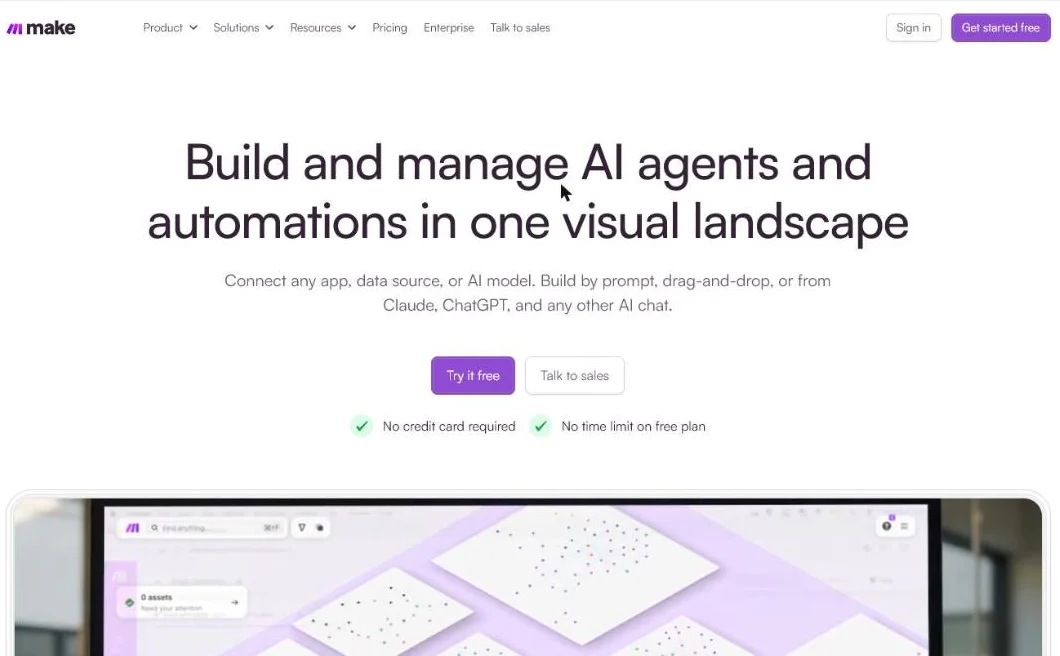 Make’s homepage, October 2026. Connectors like this glue a best-of-breed stack together.
Each connection is one more thing to monitor, so keep the number low.
Rule of thumb: only move to a heavy best-of-breed landscape once your team is big enough to manage it.
How do the 6 platforms compare, one by one?
Each tool below gets the same 4 lines, so you can compare like for like.
1. HubSpot: powerful, but mind the price
HubSpot is the best-known name, and not without reason. It combines CRM, email, landing pages and reporting in one package.
The homepage leads with its free CRM, the entry point to the paid Hubs:
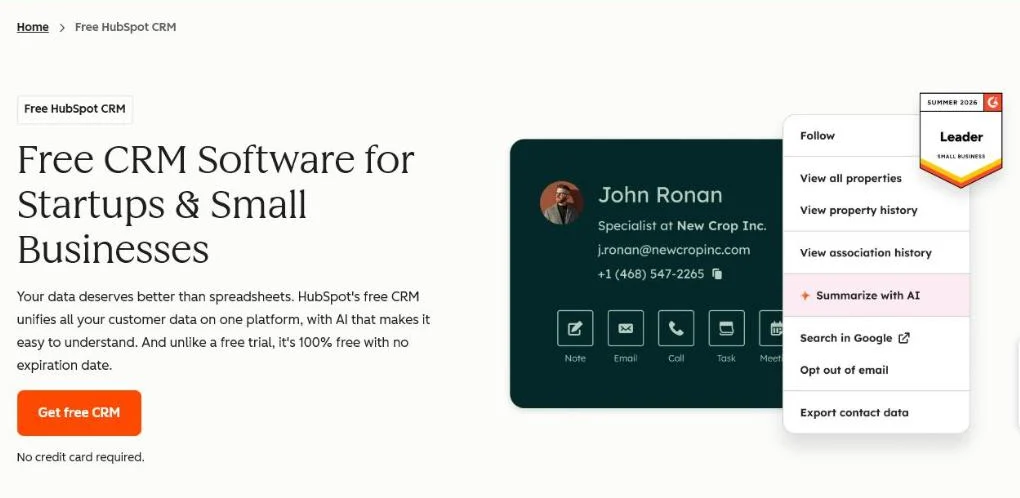 HubSpot’s Marketing Hub page, October 2026.
Best for: B2B companies with a growing sales team and a budget to invest in the platform.
Biggest strength: everything integrated, excellent reporting, large knowledge base.
Price: Starter €10 per seat a month on a limited-time 50% discount, Professional €100 and Enterprise €175 per seat, billed monthly (pricing page in euros, checked 18 October 2026).
Watch out: the price rises quickly once your contact list grows or you want extra hubs.
Here’s the grid as the pricing page showed it:
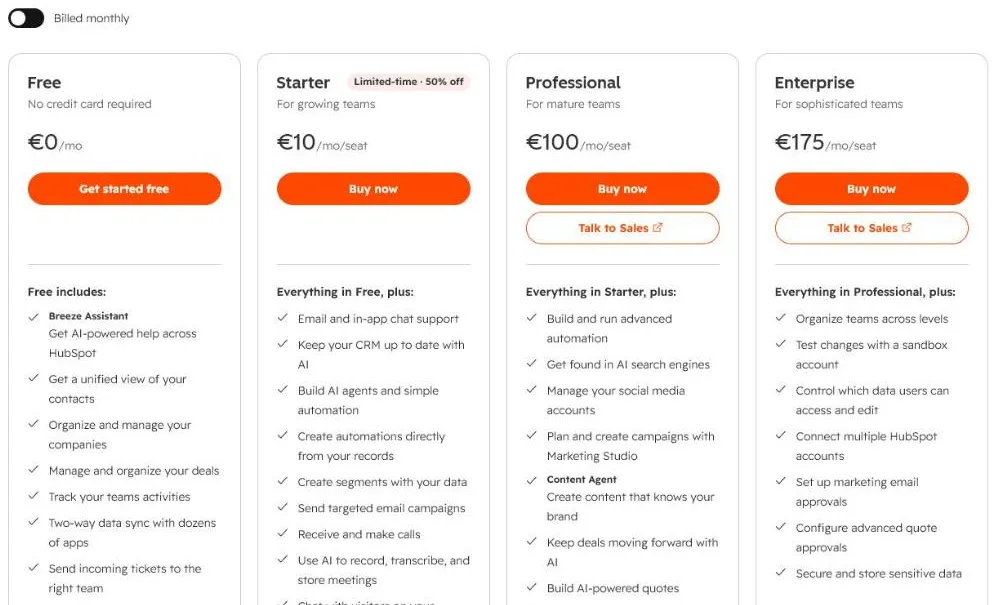 HubSpot’s pricing page, billed monthly, 18 October 2026. The page showed euros; the USD switch didn’t apply.
Many SMEs pay for features they never use, for example extra hubs.
Don’t buy more than you need.
2. ActiveCampaign: the pragmatic middle ground
ActiveCampaign sits in a healthy middle class for price and complexity.
The flows are visual and flexible. The built-in CRM is light but usable for smaller sales teams.
Its homepage puts automation first:
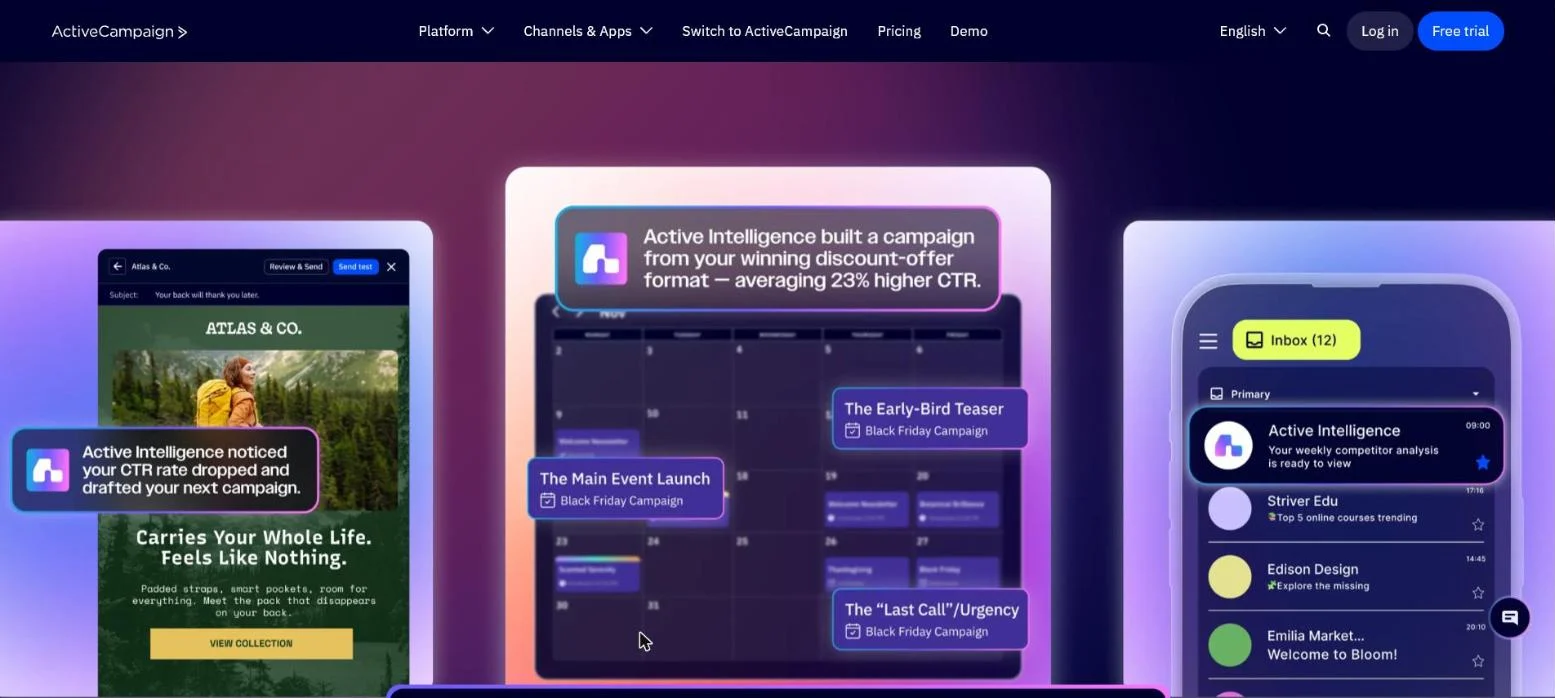 ActiveCampaign’s homepage, October 2026.
Best for: B2B SMEs that want to automate seriously without spending a fortune.
Biggest strength: strong flows, good value for money, easy to learn.
Price: Starter $15, Plus $49, Pro $79 and Enterprise $145 a month for 1,000 contacts, billed annually (pricing page, checked 18 October 2026).
Watch out: reporting is less in-depth than HubSpot’s, and support is sometimes slow.
The price scales with your contacts. Here’s the grid at 1,000:
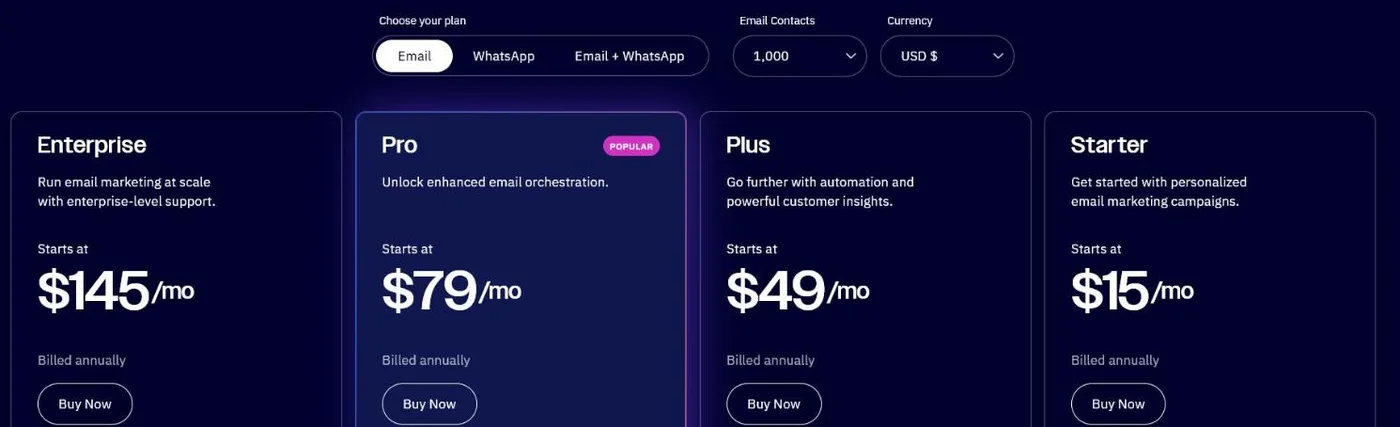 ActiveCampaign’s email plans at 1,000 contacts, US settings, billed annually, 18 October 2026.
For most Belgian SMEs we work with, this is the most pragmatic starting point.
3. Brevo: an affordable entry point
Brevo (formerly Sendinblue) is cheap and accessible.
It’s ideal if you mainly run email campaigns and simple flows, such as a welcome series, and don’t need complex lead follow-up yet.
Best for: starters, or teams that want to test small first.
Biggest strength: sharp price, simple, strong at email.
Price: Starter $9, Standard $18 and Professional $499 a month, billed monthly (pricing page, checked 18 October 2026).
Watch out: automation and CRM get limited as soon as your ambitions grow.
Look at which tier first includes automation:
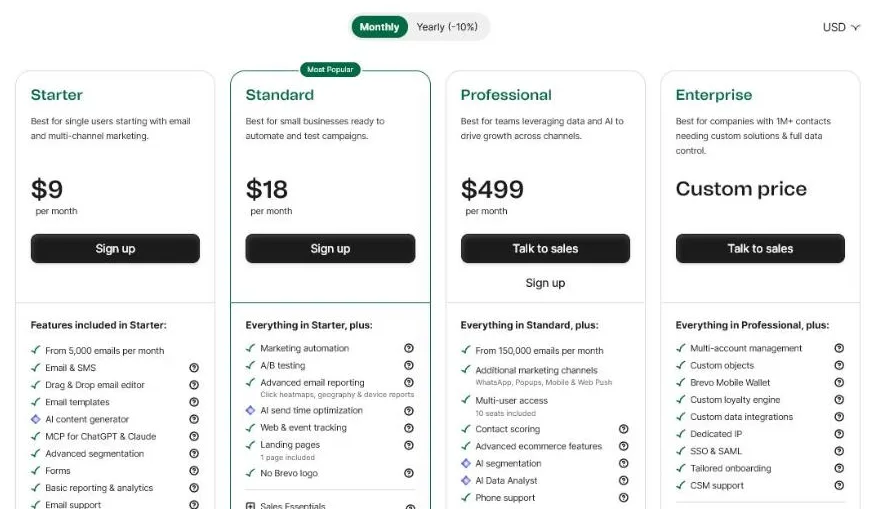 Brevo’s pricing page, US settings, billed monthly, 18 October 2026. Marketing automation only starts on Standard.
So budget for Standard, not Starter, if flows are the reason you’re buying.
Just starting to email in a structured way? Our tips in how to send a newsletter get you going, whatever your tool.
4. Mailchimp: fine for mailings, weak for B2B follow-up
Mailchimp is widely known, but leans heavily towards B2C and e-commerce.
Already on Mailchimp? Then pick from these Mailchimp alternatives based on why you’re leaving.
Best for: simple mailings.
Biggest strength: easy to start, with a free tier.
Price: free under 250 contacts; Essentials from $13 and Standard from $20 a month (pricing page, checked 18 October 2026).
Watch out: weak at B2B lead follow-up with long sales cycles.
The free tier is small. Note the limits:
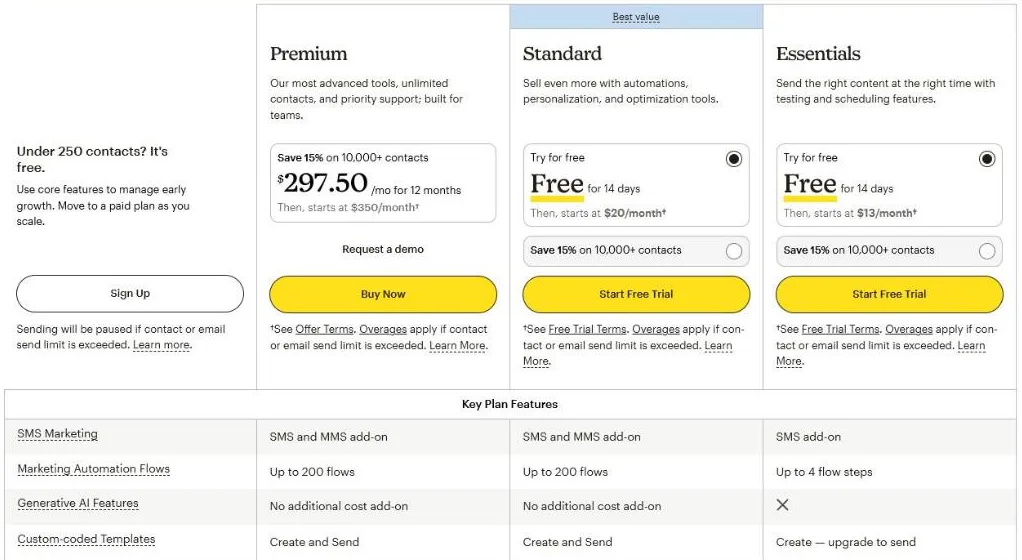 Mailchimp’s pricing page, US settings, 0 to 500 contacts, 18 October 2026. Sending pauses once you pass a limit.
Good for a simple start, less so for a B2B journey.
5. Klaviyo: top class, for a different game
Klaviyo is excellent, but built entirely around webshops.
Best for: e-commerce.
Biggest strength: top class for online stores.
Price: free for up to 250 profiles and 500 emails a month. The pricing page didn’t show a paid starting price on 18 October 2026.
Watch out: not built for a B2B journey with personal follow-up.
The free plan is the easiest way to see that focus:
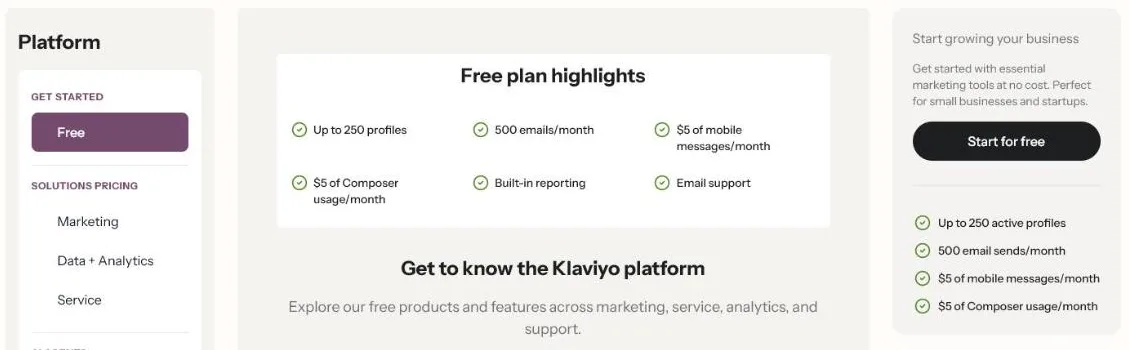 Klaviyo’s free plan highlights, US settings, 18 October 2026.
We don’t do webshop framing, so our advice is clear: don’t pick a tool built for a different game.
6. Pipedrive with automation: when sales is central
Does your growth revolve around an active sales team? Then a sales CRM like Pipedrive, with automation add-ons, can make more sense than a marketing platform.
You keep the focus on deals and follow-up, and add automation where it genuinely helps.
The whole product is built around one visual pipeline:
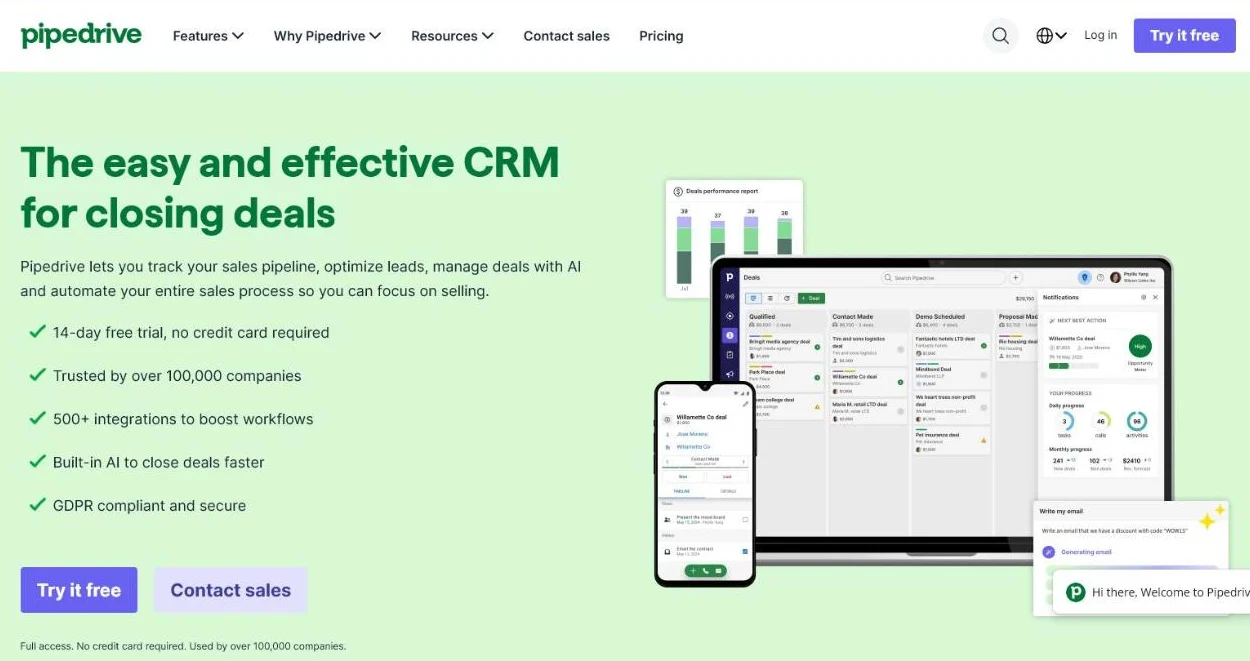 Pipedrive’s homepage, October 2026. The product is built around one visual pipeline.
Best for: B2B teams where the salesperson is the engine, not the campaign.
Biggest strength: sales-driven, clear pipeline.
Price: not checked for this update. See Pipedrive’s own pricing page before you compare.
Watch out: marketing features are supplementary, not the core.
We’ve set up Pipedrive for B2B teams ourselves. How to align CRM and marketing is covered in CRM marketing.
How do you choose based on your situation?
There’s no “best” tool. There’s only the tool that fits your situation.
3 questions quickly point you to the right camp:
1. How do you follow up leads today?
If everything still sits in scattered mailboxes and Excel, start light (Brevo, ActiveCampaign) and build out.
If you already work in a structured way, a heavier platform can pay off.
2. Who is the engine of your growth?
If it revolves around an active sales team, a sales CRM with automation often fits better than a marketing platform.
If it revolves around content and campaigns, a marketing-first tool makes more sense.
3. How much time and budget do you have to manage it?
A more powerful tool is only powerful if someone manages it.
A small team is often better off with fewer features it uses than with a suite that mostly gathers dust.
Our advice
Choose the smallest tool that runs your current process neatly. Only move up once you hit real limits.
We also see a newer route: companies custom-building their own tools instead of paying monthly fees. In our projects, total cost of ownership then drops significantly.
Not sure whether you’re ready to automate? Read marketing automation for B2B.
Which mistakes keep coming back?
The same 4 errors return time and again, whatever tool companies choose:
- Tool first, process second: you automate a process that doesn’t exist
- Over-buying: an enterprise package for 5 flows
- Vanity numbers: a 40 percent open rate means nothing without leads or deals
- A neglected CRM connection: marketing and sales drift apart
Fix the first one and the other 3 usually get easier.
Why is the tool only 20% of the result?
Because the best software delivers nothing if your flows, message and follow-up are off.
That pattern also shows up in this overview of marketing automation software.
We steer on customers and revenue, not on emails sent or newsletters opened. Those vanity numbers say little about growth.
That ratio shows in one image where your attention belongs:
Not on the tool’s buttons, but on the process underneath.
When we overhauled the approach for Get Driven, the gain didn’t come from a fancy tool. It came from a sharper process and better conversion.
The software was the final piece, not the starting point.
Rather not figure it all out yourself? See what outsourcing marketing automation delivers.
Frequently asked questions
What is the best marketing automation tool for a B2B SME?
There’s no universal winner. For most Belgian B2B SMEs, ActiveCampaign is a pragmatic start: strong flows, a reasonable price and a light built-in CRM. Want everything in one place, with the budget? Look at HubSpot. Want to test small? Start with Brevo.
What does marketing automation software cost?
Prices scale with your number of contacts and the features you switch on. On 18 October 2026, entry plans started at $9 (Brevo), $15 (ActiveCampaign, 1,000 contacts) and €10 per seat (HubSpot Starter offer). Costs can rise sharply as your list grows, so calculate with your expected list size a year out.
Can I set up marketing automation myself or is it better to outsource it?
That depends on your time and in-house knowledge. Learning the tool is doable, but the strategy behind it (which flows, which message, which follow-up) decides whether it works. Short on time? Outsourcing marketing automation explains what a partner delivers.
Which marketing automation tool fits you?
Tell us how you follow up leads today and what your goal is.
We’ll tell you which tool fits, or whether you’re better off waiting before you automate. Sometimes it simply isn’t worth it yet.
We’re a small team, so we move fast and advise on your situation, not our commission. Contact us for a tool recommendation based on your current follow-up.
Free website scan
Enter your website and get an automatic scan within minutes, with concrete technical and SEO improvements. No sales pitch.
We only use your details for your scan. No spam, unsubscribe anytime.