
Marketing Automation
Connecting leads to your CRM: how marketing automation CRM integration makes Lead Ads, CRM and email work together

Copy for AI
Some links in this article are affiliate links. If you choose a tool through one of them, we may earn a commission. It costs you nothing extra and does not change our assessment.
Connect your lead forms to your CRM so every lead gets an answer within minutes.
A lead fills in your Facebook Lead Ad or LinkedIn form, and then what? Far too often that name ends up in an export that someone types over by hand in the evening.
By the time sales calls, the interest has already cooled.
The verdict: marketing automation CRM integration fixes that silence. A new lead lands in your CRM or email platform by itself and starts a welcome and nurturing flow straight away.
Below: why it matters, the three parts you need, a six-step setup and when it isn’t worth the effort.
Measure it yourself: give your leads a euro value with our value-per-lead calculator.
Why should you connect leads to your CRM?
Because a lead is at their warmest the moment they submit the form, and every hour of silence cools them down.
The problem with ad forms isn’t that they generate too few leads. The problem is what happens after.
Manual processing leaks in three places
Typing leads over by hand has three weak spots:
- Delay: a daily export means hours or days before first contact
- Leaks: names get lost, fields go wrong, a file gets forgotten
- No follow-up: the lead hears nothing, even when sales can’t call yet
The more channels you run, the more leaks you get. Each leak is a lost lead. Our piece on lead leakage shows where else leads slip away.
What an automatic connection changes
With an automatic connection that silence disappears.
The lead gets a confirmation or welcome email right away. Sales sees the lead come in with the right context, and nobody has to export or retype anything.
Speed matters here more than people think. Our guide to speed to lead explains why the first response decides so much.
It’s standard practice now
That fits a broader movement. According to EmailMonday, more than half of all companies now use marketing automation.
Roughly two thirds of companies that grow faster than their competitors put it to work.
The number of B2B organisations working with marketing automation has grown sharply as well: research points to a multiple compared with a decade or so ago.
So it’s no longer an experiment. It’s how leads get handled.
Which parts do you need for the connection?
Three links, always: a source, a CRM and a flow. Understand those, and you understand every tool.
Here’s the chain in one picture:
1. The source (lead capture)
This is where the lead comes in: a Facebook or LinkedIn Lead Ad, a form on your site, a landing page.
The source delivers raw data: name, email, company, sometimes a question.
2. The CRM or email platform
The central place where the lead is stored and becomes visible to sales. This is your single source of truth.
Keep the original source on every record too. Our guide to lead source tracking in your CRM shows how.
3. The automation (the flow)
What happens as soon as the lead is in: a welcome email, a lead nurturing sequence, an internal notification to the right account manager.
HubSpot describes marketing automation as trigger-based workflows, where a form submission starts the sequence. In its words: “Hot leads route instantly to the right rep with full context.”
Native integration or a middle layer?
Use the native integration when it exists, and a middle layer for the channels that lack one.
Native integrations
A native integration is a direct link the tool offers itself. Many CRMs have a built-in Lead Ads connector.
As Salesforce explains about CRM integrations, the point is that data syncs automatically between your CRM and your other apps.
Meta’s own developer docs agree on the order. Partner integrations are “a good method” when your CRM is supported, and webhooks are the custom route.
Watch out: Meta calls manual lead download “not recommended”, especially if you have a CRM system.
Middle layers such as Zapier or Make
A middle layer connects tools that don’t know each other. It also gives you more control over what happens at each step.
Zapier is the best-known option. Its homepage pitches exactly that job:
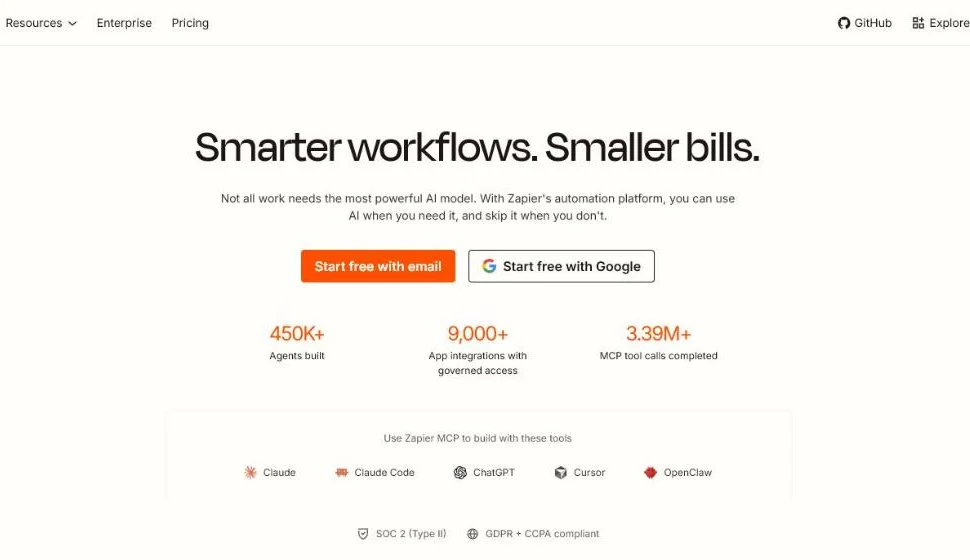 Zapier’s homepage, US English, checked October 2026.
Integration is what teams miss most. In Zapier’s own survey of sales and marketing managers, 51% wanted better integrations.
Make does the same with a visual canvas, which helps when a flow has branches:
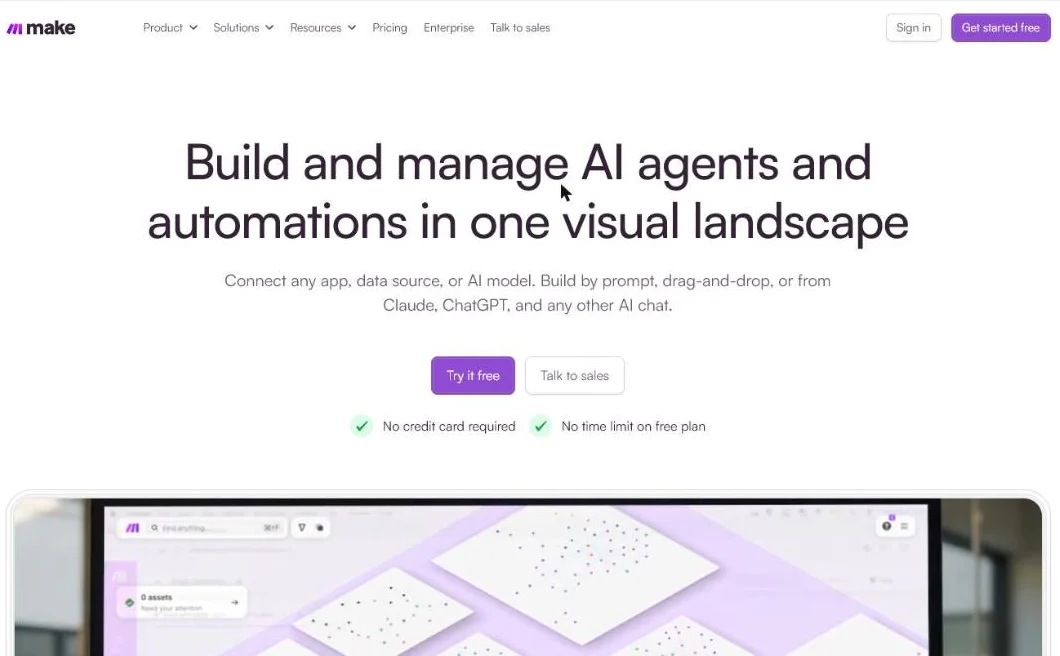 Make’s homepage, US English, checked October 2026.
Our experience: we’ve built lead flows in HubSpot, ActiveCampaign, Brevo, Make and Zapier. Make and Zapier mostly closed the gaps between tools that had no direct link.
What most B2B teams need
For most Belgian B2B companies, a solid CRM plus an email platform is enough.
Add a middle layer only for the channels without a native connection.
Which tools fit is covered in our overview of marketing automation tools. For a shortlist with prices, see the best marketing automation tools and the best B2B CRM roundups.
How do you set up the connection step by step?
Keep it simple: a reliable flow from one channel beats a half-finished connection across five.
Step 1: Pick one source to start with
Take the channel that currently delivers the most leads, for example your Lead Ads on Facebook or LinkedIn.
Step 2: Define the fields
Make sure the form fields match your CRM fields exactly: email, first name, company, job title.
A mismatch here is the most common cause of leaking connections.
For example, say the form sends “Company name” while the CRM expects “Company”. The lead arrives, but the company field stays empty and your routing rules fail.
Keep the Lead ID: Meta asks you to make sure the 15 to 17 digit Meta Lead ID is included in the downloaded data.
Step 3: Make the connection
Use the native integration if it exists, otherwise a middle layer.
Test with a real test lead, not a fictional one.
Step 4: Build the immediate follow-up
Two things go out within minutes:
- a welcome email to the lead
- an internal notification so sales knows a lead has arrived
Our guide to a welcome email series shows what goes in that first message.
Step 5: Put the nurturing flow behind it
A short sequence keeps the lead warm until sales gets in touch.
Read in lead nurturing how you gradually warm up cold leads.
Step 6: Measure what counts
Not how many leads you process, but how many end up in a real sales conversation.
Lifecycle stages make that visible. HubSpot’s default ladder runs from lead to MQL, SQL, opportunity and customer:
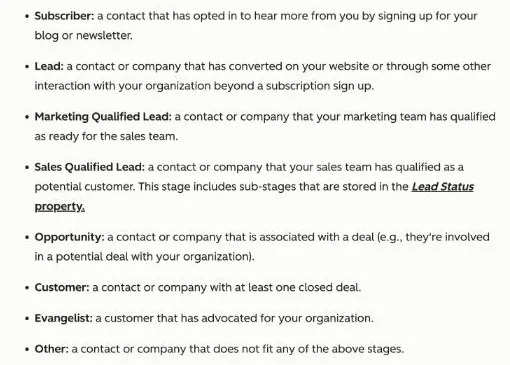 HubSpot’s lifecycle stages in its public Knowledge Base, checked October 2026.
Track how many connected leads reach SQL. Our explainer on qualified leads defines that bar.
If you’d rather not build or maintain this yourself, our marketing automation service sets up the full chain and keeps optimising it.
What goes wrong after the connection is live?
Mostly the data around the connection, not the connection itself.
Our experience: the recurring problems we see are:
- data out of sync between tools
- deals not updated or credited to the wrong team
- notifications that silently stop working
- people who don’t want to do the admin
It gets worse in mid-market teams with a broad, complex offer. It’s easier when you sell one product.
Rule of thumb: check once a month that a test lead still flows end to end, from form to welcome email to sales alert.
When is an automated connection not worth it?
Automation isn’t a magic bullet. In three cases you’re better off waiting or keeping things simple.
Too few leads
If you get a handful of leads a month, you process them faster by hand than you can set up and maintain a flow.
For example, say four leads come in each month. Calling them yourself takes minutes. Building and testing a flow takes days.
The connection only pays off at volume, or at a speed that’s impossible manually.
No follow-up ready
A connection that drops leads into your CRM without a welcome email or nurturing flow only shifts the problem.
The gain sits in what stands behind the connection, not in the connection itself.
An unclear offer
If you haven’t sharpened what you offer and to whom, you’re mostly automating confusion.
Fix the message first. Then automate it.
When it’s almost always worth it
For B2B with a long sales cycle and multiple decision makers, the automated connection nearly always pays off.
The follow-up stretches over weeks or months, and that’s where you lose most leads without automation.
You can read more about that context in marketing automation for B2B.
| Situation | Automate now? |
|---|---|
| A handful of leads a month | No, handle by hand |
| Leads from several channels every week | Yes, start with the biggest source |
| No welcome email or nurturing yet | Build the follow-up first |
| Long B2B cycle, several decision makers | Yes, almost always |
Frequently asked questions about connecting leads to your CRM
Do I need an expensive tool to connect leads?
No. Most CRMs and email platforms have native connections or work with an affordable middle layer. Start with the tools you already have and only expand once your flow is proven to work.
How quickly should a lead get follow-up after the form?
As fast as possible. Interest is highest at the moment the form is filled in. An automatic welcome email within minutes keeps the lead warm until sales can call.
What is the difference between a native integration and a tool like Zapier?
A native integration is a direct link the tool offers itself and is usually the simplest option. A middle layer such as Zapier or Make connects tools that don’t know each other and gives you more control per step, handy for channels without a native connection.
Should I connect every lead channel at once?
Preferably not. Start with the channel that delivers the most leads, get that flow working reliably, and only expand afterwards. One working connection from a single source is more valuable than five that half work.
Ready to stop letting your leads go cold?
A lead who gets the right follow-up straight away is the difference between wasted ad budget and a full pipeline.
We set up the full chain: from lead capture through your CRM to a welcome and nurturing flow that starts by itself, tuned to your B2B journey.
Contact us and tell us which channel brings in most of your leads today.
Free website scan
Enter your website and get an automatic scan within minutes, with concrete technical and SEO improvements. No sales pitch.
We only use your details for your scan. No spam, unsubscribe anytime.