
Data & Tracking
The real time report in Google Analytics: useful for testing, dangerous to stare at

Copy for AI
The real time report in Google Analytics shows what happens on your site right now.
It covers the past few minutes, not days or weeks.
Its real value isn’t watching who’s online. It’s testing.
The verdict: use Google Analytics real time as a testing instrument, not as a visitor counter. Check events, conversions and UTM tags before a launch, then close the screen.
Real time is one of the most tempting screens in Google Analytics.
It’s also one of the least useful for decisions.
We build measurement setups for B2B companies.
We mainly use this report at one moment: at launch, to verify the tracking.
What exactly does the real time report in Google Analytics show?
It shows active users and events from the last 30 minutes, with a separate view of the last 5 minutes.
The time window
Concretely, the report shows the active users and events of the past thirty minutes, alongside a separate view of the last five minutes (Google Analytics 4).
That’s the key difference from the standard reports.
Those only show data after processing, so always with some delay.
Google’s own help says data processing can take 24 to 48 hours, while realtime data typically takes a few minutes.
What the cards show
Google’s Realtime overview help page lists the cards. They answer six questions:
- Where from: active users by first user source, medium or campaign.
- Who: active users or new users by audience.
- What they view: views by page title or screen name.
- What they do: event count by event name.
- What converts: key events by event name.
- Which properties: active users by user property.
Google itself names one use first: “Verify that the measurement code is working on your site or app.”
Here’s what the overview looks like for our own site:
A newer view: Realtime pages
Google built a separate real time report in GA4 for pages, announced in October 2024.
It shows which pages are viewed right now, with views and active users for the last 30 minutes. Search Engine Journal notes it “isn’t intended as a comprehensive debugging tool”.
Why the short window matters
Because of that short window, you see the effect of your own actions almost instantly.
For example, click a button yourself. The event appears within seconds.
That immediacy makes the report great for testing. It also makes it misleading for reading trends. A few minutes of activity says nothing about how your site performs over a week or a month.
Here’s how fresh each GA4 view is, side by side:
Why events are the building block of Google’s model is explained in our piece on GA4.
Why is real time mainly handy for testing your tracking?
Because you see within seconds whether a tag fires, without waiting hours for processed data.
Before you send a newsletter, start an ad or put a new landing page live, you want to know everything is measured.
Real time shows that straight away.
Check 1: are your events coming in?
For example, fill in your own contact form or click your demo button.
Then watch the event card. Does the event appear?
If nothing appears, your conversion tracking isn’t set up properly and you’ll miss every lead.
Watch out: consent matters. If you decline analytics cookies in your own banner, your test events won’t show up.
Check 2: do your UTM parameters work?
Open your own campaign link with UTM tags.
Does the visit show the right source and campaign?
That way you prevent all your ad traffic from being written away as “direct” or “(not set)”. How to build those tags is covered in our article on UTM parameters.
Tip: the Realtime source card groups users by first user source. Test your link in a private window, so you arrive as a new user with the new source.
Check 3: does your conversion count?
Walk through the full path to the thank you page yourself.
Is the key event registered?
No thank you page? Our guide to form conversions without a thank you page shows the alternatives.
Why a few minutes of testing pays off
This test of a few minutes saves you weeks of polluted data later.
That fits how we look at measurement: a setup is only worth something once you’re certain it’s accurate. A wrongly configured tag you discover after a month means a month of decisions based on thin air.
This whole principle, first making sure your measurement is sound, is central to what tracking actually is.
Want it set up and checked for you? See our data analytics service.
When should you use DebugView instead?
When you need to see every parameter of an event, not just whether it fired.
What DebugView adds
Google describes DebugView as a report that “displays the events and user properties that Analytics collects from a user in real time”.
It shows a Seconds stream of the last 60 seconds and a Minutes stream of the last 30 minutes, filtered to one debug device.
How to switch it on
You enable debug mode first, in one of two ways:
- Your own device: use Tag Assistant or Google Tag Manager preview mode.
- Code: add
debug_mode: trueto the Google tag.
You then find it under Admin, Data display, DebugView:
New to tag preview? Our explainer on what Google Tag Manager is covers preview mode.
Rule of thumb: Realtime answers “did it arrive?”, DebugView answers “did it arrive correctly?”
Why is staring at real time dangerous?
Because a live counter feels productive but drives no decision.
Vanity watching
Real time is addictive.
You launch a campaign, see visitors coming in and stay glued to the screen.
It feels productive. It isn’t.
You’re looking at a snapshot that changes again within minutes.
This is vanity watching: figures that feel good but drive no action. The number of active visitors doesn’t tell you whether they’re your target audience. Or whether they’ll request a quote.
B2B reality: for a company with a long sales cycle, “30 people online right now” is meaningless. What counts is whether those visitors become leads and revenue over the coming weeks.
Not every active user is a person
The live count isn’t even clean.
Our experience: the number of AI agents visiting websites grows fast. Some of them get tracked as user traffic in GA4, so you need to exclude them properly.
Spam hits can inflate the count too, as our piece on referral spam in Google Analytics shows.
Look at trends instead
Our position is simple: data is only valuable if it leads to action.
Real time rarely does, except while testing.
For everything after that, you look at trends across days and weeks. Look at your conversion rate and at which channels actually deliver customers.
Here’s what that looks like in a standard report from our own account:
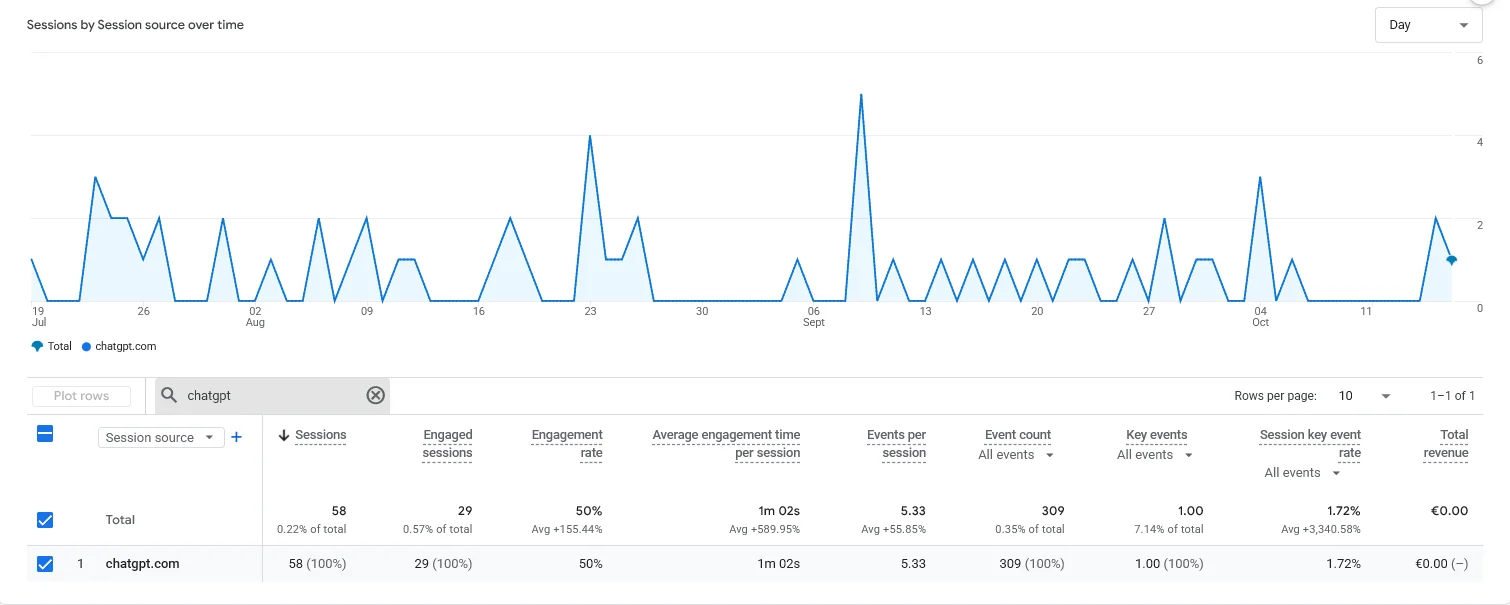 Our own GA4, traffic acquisition by session source, 90 days to October 2026. A 90-day view shows what a 30-minute window never can: which source leads to key events.
Read more about that pitfall in our piece on vanity metrics in marketing.
To prove something with a test, you first need enough traffic.
That’s covered in A/B testing in Google Analytics.
When may you use real time practically?
At a few moments apart from the testing phase, always to verify something.
Three good moments
Real time is useful at these moments:
- Campaign or mailing launch: check traffic arrives with the right source.
- Technical change: verify a new or edited tag still measures.
- Event or webinar: confirm a planned peak is registered.
For example, if nothing comes in while you just sent 10,000 emails, you know at once something is wrong with your links.
Make it a launch checklist item
Put the real time check on your website launch checklist, next to forms and redirects.
In all these cases you verify something, then close the screen again.
That’s what separates a team that checks fast from someone watching a counter all day.
Frequently asked questions about the real time report in Google Analytics
How long does a visitor stay in the real time report?
The real time report shows the active users of the past thirty minutes, with a separate view of the last five minutes (GA4 documentation).
A visitor who stops doing anything disappears from view after that window. The report is a snapshot, not an overview of longer trends.
Why do I see myself in real time but not in the regular reports?
Real time shows data almost immediately, whereas the standard reports process their data first.
Google says that processing can take 24 to 48 hours. Seeing yourself live but not yet in the daily report is normal and not an error in your tracking.
Can I make decisions based on real time?
Better not. Half an hour of activity isn’t a trend. Use real time to test whether your measurement is correct, and base decisions on your regular reports across days and weeks.
Is testing UTM tracking via real time reliable?
Yes, that’s one of the best applications. Open your own campaign link with UTM tags in a private window and check whether the source and campaign come in correctly.
If it’s right there, it will also be right in your reporting later.
What’s the difference between Realtime and DebugView?
Realtime shows all users on your site in the last 30 minutes. DebugView shows only debug devices, with every event parameter.
For detailed tag testing, use DebugView.
Get your tracking verified before you go live
The real time report is a fine testing instrument, but only a small part of a setup that steers on customers and revenue.
The difference lies underneath: accurate events, clean UTM tags and conversions that count.
Want certainty that your measurement is right before the next launch? Contact us and we’ll check your events and tags with you.
Free website scan
Enter your website and get an automatic scan within minutes, with concrete technical and SEO improvements. No sales pitch.
We only use your details for your scan. No spam, unsubscribe anytime.