
Website & Development
WordPress theme or custom WordPress theme? The trade-off for a professional B2B site

Copy for AI
A theme with a builder is the fastest start; a custom WordPress theme grows better.
For most B2B companies, an off-the-shelf theme with a builder is the cheapest way to go live. A custom WordPress theme gives you a lighter, fully owned site over the long run.
The verdict: pick a theme with a builder for speed and self-editing. Pick a custom theme when performance, brand and growth decide your leads.
Which one fits you depends on your goals, your team, your budget and your growth plans. Not on whatever happens to go live fastest.
Below: the difference, the cost, speed and uniqueness, and a level-headed decision framework.
This is part of our broader guide to having a B2B website built, where the platform choice is one of the very first questions.
What is the difference between a theme with a builder and a custom theme?
Who builds the site, and who changes it later.
Two definitions
WordPress’s own handbook says a theme “represents the design of your website” (WordPress theme handbook). It controls how your content looks in the browser.
Both routes start from the same open source platform, WordPress.org:
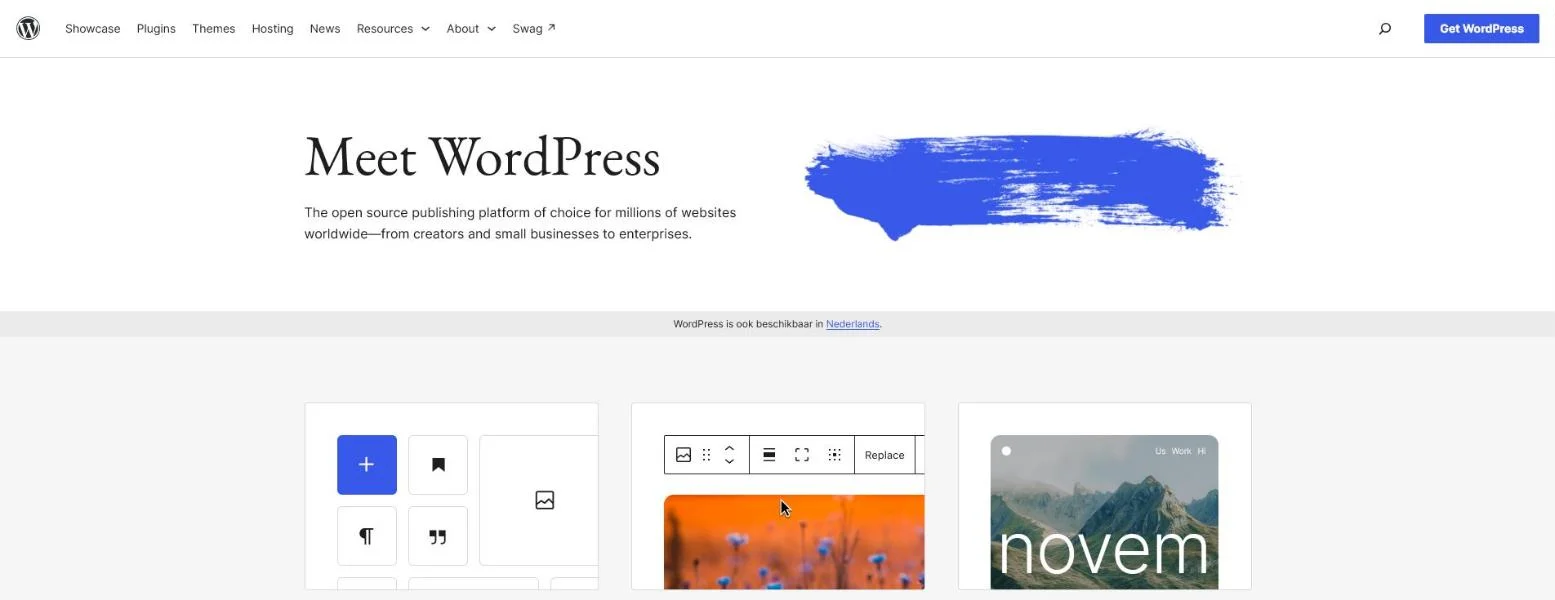 WordPress.org, October 2026. The theme decides the design; the platform underneath stays the same.
From there, the two routes split:
- Theme with a builder: an existing theme, often a lightweight one such as GeneratePress or Kadence, plus a page builder like Elementor to drag pages together without code
- Custom theme: a theme a developer builds for your site alone, tailored to your brand, content and functional requirements
The handbook also notes that classic themes use PHP templates.
Building one takes “some minimal PHP, HTML, and CSS code knowledge, at least”. That’s developer work.
Who edits what
The practical difference comes down to who builds the site and who adjusts it later.
With a theme and a builder, a marketer can create pages and edit copy without help.
With custom, you get a site that does exactly what you want.
But larger changes usually go through a developer, or through a pre-built, limited set of building blocks.
Not amateur versus professional
Important: this isn’t “amateur versus professional”.
A well set up theme with a builder can deliver an excellent B2B site.
A poorly built custom theme can become a millstone.
Quality lives in the execution, not in the category.
What does a WordPress theme cost versus custom?
A theme plus builder costs under $200 a year in licences; custom costs thousands up front.
Licence prices
Here’s what the two best-known licences cost (prices in USD, checked 4 November 2026):
| Product | Price | Sites | Note |
|---|---|---|---|
| GeneratePress One | $99 a year | 1 | Premium features now sit in this one plan |
| Elementor Pro | from $60 a year | 1 | Entry plan; higher plans cover more sites |
| Custom theme | quote based | 1 | Thousands to tens of thousands of euros |
GeneratePress no longer sells its premium add-on separately. Everything comes in GeneratePress One, from $99 a year for one site.
Custom work quickly runs into the thousands or tens of thousands of euros, for example when you need several page templates and a CRM integration. It depends on the number of templates, the functionality and the integrations.
Our breakdown of what a WordPress website costs shows where that money goes.
Where the real costs sit
The purchase price is the least interesting part of the bill. The real costs sit elsewhere:
- Theme and builder: you mainly pay in build time and ongoing fees, such as builder add-ons and form plugins.
- Custom: you pay more up front, but get a cleaner foundation with fewer dependencies.
The more you stretch a builder with add-ons, the more your site becomes a collection of loose parts to maintain and update. Our piece on too many WordPress plugins shows where that ends.
With custom, the costs shift to the build phase and to later maintenance by a developer.
The three-year question
For a Belgian B2B company, the honest question isn’t “what’s cheapest today”.
It’s “what does this cost me over three years, including the leads I miss if the site is slow or generic”. A cheap start that produces no customers is expensive.
Which is faster: a theme with a builder or custom?
Custom is almost always faster to load, because it only loads the code a page needs.
Why builders add weight
A page builder adds its own layer: extra wrapper markup, plus CSS and JavaScript for its widgets.
That makes the page heavier.
Builders have cut that overhead.
Since version 3.24, Elementor loads widget CSS only on pages that use the widget.
That shrank its free frontend stylesheet from 206 KB to 61 KB.
But third-party add-ons that aren’t built for it can still add weight.
Why speed matters for leads
That difference isn’t a detail. Core Web Vitals and load speed help decide whether a visitor stays and whether Google positions you well.
Google’s thresholds for a good experience are clear (web.dev on Web Vitals):
- LCP: the main content loads within 2.5 seconds
- INP: the page responds within 200 milliseconds
- CLS: layout shift stays at 0.1 or less
Google measures them at the 75th percentile of page loads.
So your slowest visitors count too.
Our wiki explains Core Web Vitals in plain terms, and our website speed test checks your own pages.
Speed comes from execution
Even so, this deserves nuance. Builders have become lighter in recent years.
A well configured lightweight theme with a builder can be fast enough for most B2B goals. Heavier all-in-one themes and stacks of add-ons slow a site down considerably.
Conversely, a sloppily built custom site can be slow too. Our own custom-built site isn’t perfect either:
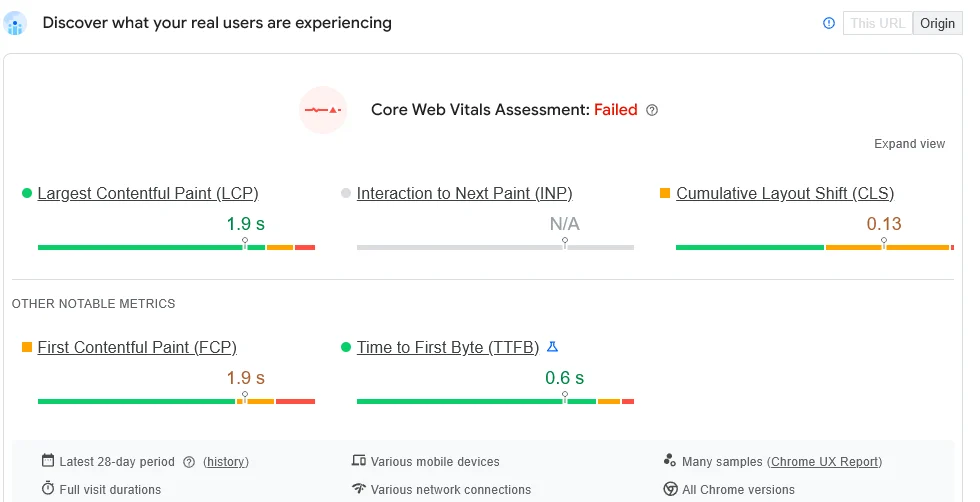 PageSpeed Insights field data for customerimpact.be on mobile, October 2026. LCP passes at 1.9 s; CLS at 0.13 still needs work.
Rule of thumb: speed is a result of careful execution, not automatically of the category you pick.
Want to go deeper?
Read about WordPress SEO, where speed is a recurring theme, or our steps to speed up a WordPress site.
How unique will your site be with a theme versus custom?
A custom theme is unique by definition; an off-the-shelf theme shares its base design.
Everyone using the same theme starts from the same layout.
For a B2B company that wants to stand out, that’s a genuine point of attention.
A theme can still look like your brand
In practice it’s more nuanced.
With a builder plus your own brand style, content and structure, you can adapt a theme far.
Visitors then never notice a standard theme underneath.
Watch out: the main risk is copying the default layout and demo pages too literally. Your site then looks like dozens of others.
Uniqueness is about trust
Uniqueness isn’t only about aesthetics.
It’s about whether your site inspires trust and tells your story credibly.
A distinctive, well considered design helps.
That’s exactly where a B2B website that generates leads sets itself apart from a pretty but generic brochure.
The design has to lead the visitor towards an action, not just impress.
When do you choose a theme with a builder and when custom?
Choose a builder for launch speed and self-editing; choose custom for performance, brand and growth.
Here’s the decision in one picture:
Go for a theme with a builder if
- you have a smaller team without a developer
- you want to be online quickly
- you build pages and landing pages yourself, regularly
- your functional requirements fit the standard options
For many growing B2B companies this is a sensible, affordable choice.
Go for custom if
- your brand and look are a real differentiator
- your site carries a lot of traffic or complex functionality
- performance and SEO are critical
- you want to build on this foundation for years, without plugin clutter
For example, say a manufacturer needs a product configurator, three languages and a CRM link. That’s custom territory.
Not sure?
Then start with your goals and growth plans, not with the platform.
A website redesign is a good moment to make that trade-off deliberately. Don’t just carry the existing setup over.
Our guide on when to use WordPress helps too, and so does our comparison of WordPress vs Webflow.
How we advise
At Customer Impact we’re platform independent.
We build in WordPress, Webflow and custom, and advise what suits your case.
We don’t steer towards whatever is ready fastest. We steer towards a site that attracts the right B2B buyer and turns them into leads.
Sometimes that’s a tightly set up theme with a builder. Sometimes it’s custom.
The short summary
A WordPress theme with a builder is faster and cheaper to launch and lets you make your own changes.
But you pay later in speed, a more generic look and plugin dependency.
Custom costs more up front, but gives you a lighter, unique site that grows more cleanly.
There’s no fixed winner. For a B2B site that has to produce leads, load speed and a distinctive, trustworthy look often matter more than launch speed.
Want to weigh this up objectively for your case? See how we build your professional website.
Free website scan
Enter your website and get an automatic scan within minutes, with concrete technical and SEO improvements. No sales pitch.
We only use your details for your scan. No spam, unsubscribe anytime.