
SEO & GEO
How Does Grok Choose Its Sources? The Role of X and Real-Time Data

Copy for AI
Grok chooses its sources from two channels at once: a real-time search of the open web and a separate search of X (formerly Twitter). It decides by itself whether a question needs fresh information, runs those searches and returns the web pages and X posts it used as citations. That second channel, live X posts, is what makes Grok unique.
This is a specific piece of the broader generative engine optimization (GEO) story: not optimizing for a click, but for a mention in the answer an AI model generates. And every model, Grok included, chooses its sources in its own way.
How we researched this: we read xAI’s own developer documentation on search and citations and checked Grok’s homepage on 17 October 2026. Where the documentation describes the API, we say so: the consumer app works on the same models and tools, but not every setting is visible there.
What is Grok and who is behind it?
Grok is the AI assistant from xAI, Elon Musk’s company, and it is directly integrated into the X platform. That entanglement with X is not a detail. It is precisely why Grok handles sources differently from models like ChatGPT or Perplexity. Grok has access to the live stream of public posts on X and can use it to answer questions about current topics, trends and ongoing discussions.
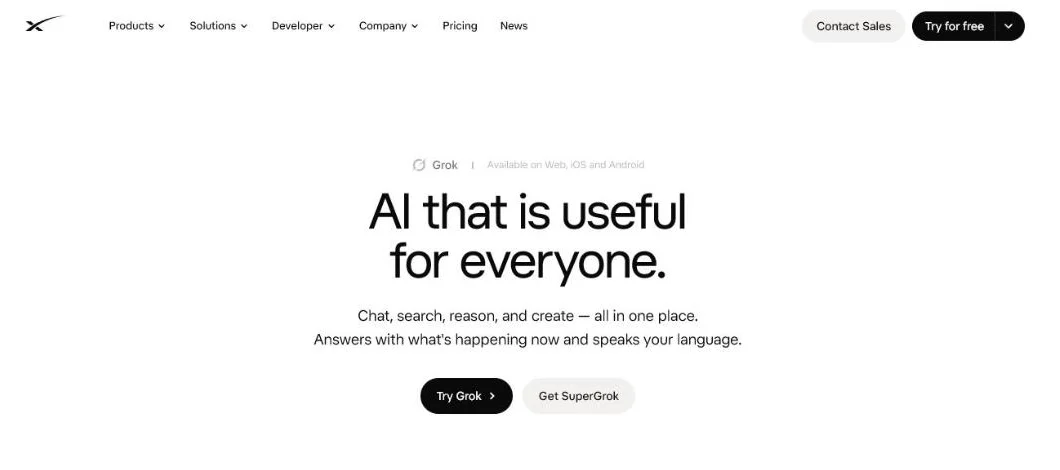 x.ai/grok on 17 October 2026: free to try, with SuperGrok as the paid upgrade.
When we opened that page on 17 October 2026, its search section promised that Grok “searches the web and X live” with “live citations from primary sources across the web” and “real-time X integration for breaking news and trends”. That is the source logic in xAI’s own words. Grok is free to try on the web and in the apps; SuperGrok adds higher limits and a multi-agent mode.
You can use Grok in several places: in the X app itself, through the separate website and via an API for developers. Where you use Grok, and which settings are turned on, partly determines whether the model pulls in live sources or answers purely from its trained knowledge.
How does Grok work with sources?
Grok works with sources through a system that retrieves live first and only answers afterwards. According to xAI’s tools overview, the model “analyzes the query and determines what information or actions are needed”, then decides whether to make a tool call or give its final answer, and repeats that loop until it has enough. Web Search and X Search are built-in tools that run on xAI’s own servers. This is a form of retrieval: the model enriches itself with external information at the moment of the question, instead of drawing only on what it learned during training.
Important to know: Grok makes that choice largely automatically. Whether it searches live depends on three things. First, the environment you are working in (the X app, the website or the API). Second, your settings, which you can often set to automatic, on or off. Third, any restrictions, such as regional filters or safety settings. Source citations only appear when Grok has actually used a search function. If it answers purely from memory, there are no citations.
Why does Grok lean so heavily on X?
Grok leans heavily on X because it is the only large AI model with direct, real-time access to the public posts on that platform. The search function on X is a separate source channel alongside the ordinary web search. According to xAI’s X Search documentation, Grok can search X by keyword with X’s advanced search operators, run a semantic search on meaning, find users by name or description and fetch an entire thread with its replies. That makes X not just an extra source, but a full-fledged layer of its own in the source logic.
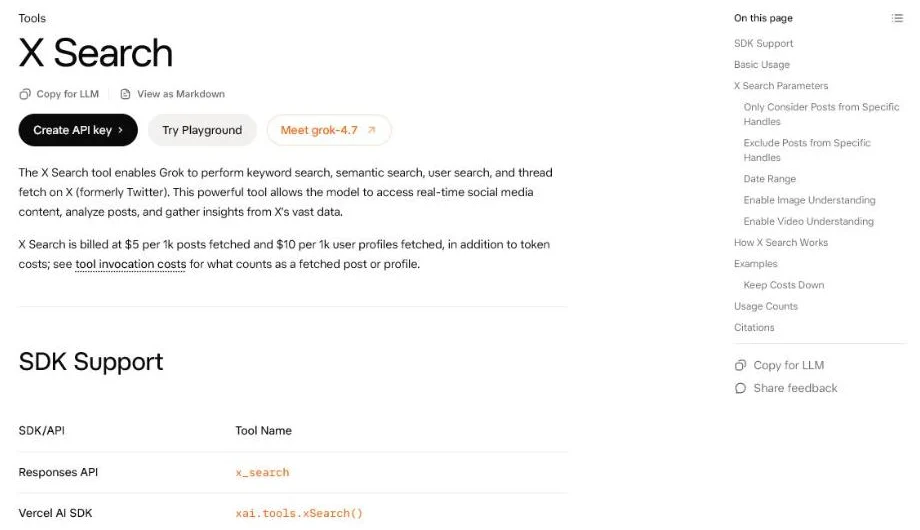 xAI’s own documentation of what Grok can search on X, checked 17 October 2026.
| Web Search | X Search | |
|---|---|---|
| What it searches | Web pages, which Grok can also open and browse | Public X posts, users and threads |
| Search types | Real-time web search | Keyword, semantic, user search, thread fetch |
| Filters a developer can set | Allowed or excluded domains, max 5 | Allowed or excluded X handles, plus a date range |
| Media | Optional image understanding | Optional image and video understanding in posts |
| What it means for you | Your site and third-party pages about you | Your account, your people and conversations about you |
For you, this has a concrete implication. With models that only index the broad web, it is mainly your presence on ordinary web pages that counts. With Grok, on top of that, it matters how and how often your brand shows up in public X conversations. A current, relevant discussion on X can weigh more heavily for Grok than a static page that has not been updated in months. That unique source logic is at the heart of why Grok gives different answers than the rest. How that plays out against the biggest rival: Grok vs ChatGPT.
This is, by the way, a broader pattern: with ChatGPT, for example, Reddit plays a strikingly large role as a source. Every model has its own preferred platform. With Grok, that platform is X.
Which sources does Grok actually cite?
Grok cites the URLs it gathered through its search tools, both web pages and X posts, but not everything it read ends up in the answer. xAI’s citations documentation separates two lists. The full citations list holds “all sources the agent encountered during its search process”, and xAI warns that “not every URL in this list will necessarily be directly referenced in the final answer”. Inline citations are the links placed in the text itself, and even with them switched on, xAI notes there is no guarantee the model cites a source on every answer.
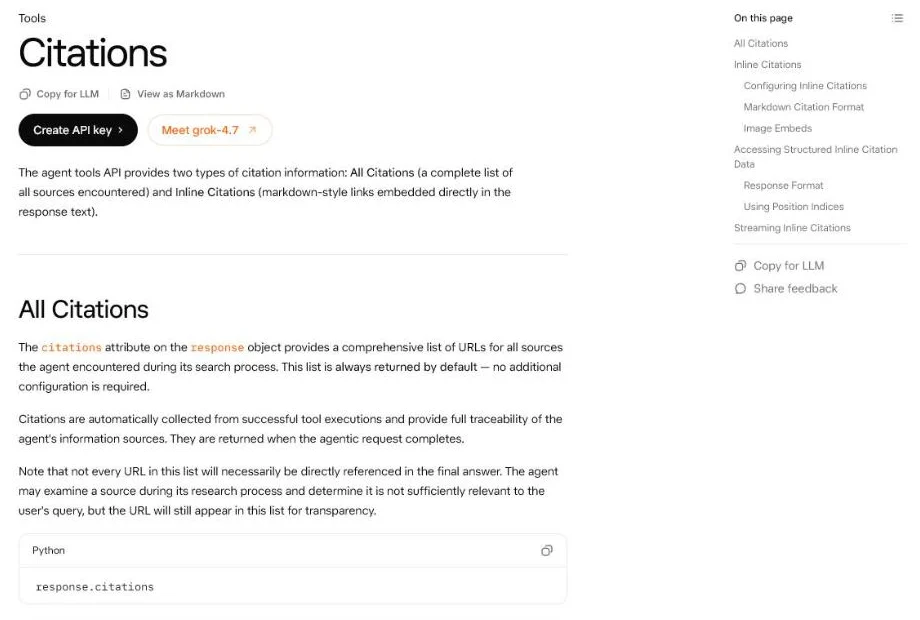 In xAI’s own example, web pages and X posts sit side by side in the citations list.
Three things follow from that for a brand:
- Being read is not being cited. Your page can be in the full list of sources Grok encountered without appearing in the answer. The pages that make it into the text are the ones that answer the question most directly.
- X posts are first-class citations. In xAI’s own example, an x.com status URL sits in the same list as web pages. A sharp post from your company or founder can be the cited source.
- No search, no citation. If Grok answers from memory, nothing is cited. Questions about current events, prices and comparisons are the ones most likely to trigger a search.
What is DeepSearch and how does Grok dig deeper into sources?
DeepSearch is Grok’s research mode that gathers sources across multiple rounds instead of searching once. xAI introduced it as an agent built to “synthesize key information, reason about conflicting facts and opinions”, ending in “a concise and comprehensive report”. Today’s Grok homepage also describes a multi-agent mode in which several agents work on sub-problems in parallel and merge their results into one cited answer. The result is a more extensive, structured answer with a trail of consulted sources.
In practice, this means a deep research run can tap into dozens of web pages and X posts for a single answer. That has a downside you have to weigh honestly: pulling in more sources is not the same as citing sources correctly. Independent research into AI search models, including a study by the Tow Center at the Columbia Journalism Review published in March 2025, showed that AI assistants regularly misattribute sources: in that test, Grok 3 answered about 94 percent of the news-citation queries incorrectly, and 154 of the citations from its 200 prompts led to error pages. The study is from early 2025, but the lesson holds: do not rely blindly on an AI model’s citations, and do not build your strategy on the assumption that a mention is always accurate.
What does this mean for your visibility in Grok?
To get mentioned in Grok, you need to be visible on two fronts: in citable web content and in the current conversation on X. That is the practical translation of the dual source logic. Five steps, in order:
- Write citable content. Clear answers, sharp definitions and facts that a model can take over verbatim. This is the same foundation that works for ChatGPT and other models, and it decides whether your page makes it from “encountered” to “cited”.
- Build a recognizable presence on X. Not as spam, but as an account that consistently talks about your core topics, so Grok finds you again during a keyword, semantic or user search.
- Be consistent across channels. Whether a model sees you as an authority depends on how stably your brand is linked to a topic. The same name, the same claims, everywhere.
- Steer on mentions, not on positions. For B2B, brand mentions are often more valuable than classic backlinks as a signal of AI authority.
- Check where you stand, regularly. Ask Grok the questions your buyers ask and note which sources it cites. Our step-by-step guide on how to rank in Grok turns this into a routine.
An honest caveat belongs here. Grok is strong on current events and real-time trends, but its dependence on X also means the source quality varies with whatever is active on the platform at a given moment. For a B2B brand, X is moreover not always the most important channel. So choose your investment based on where your audience really is and which AI models they put their questions to, not on the basis of hype around a single model.
Frequently asked questions
Where does Grok get its information?
From two places: what the model learned in training, and live searches when a question needs fresh information. Those live searches run on the open web and on X, where Grok can search posts, users and threads. Only answers based on a live search come with citations.
How does Grok decide what to cite?
Grok cites the URLs it collected through its search tools, but xAI’s documentation warns that not every source it encountered is referenced in the final answer. In practice, the pages and posts that answer the question most directly and most recently are the ones that make it into the text.
How does Grok decide which brands to surface?
There is no published brand ranking. Grok surfaces the brands that appear in the sources it retrieves for that question: web pages that answer it clearly and X posts and accounts that match the search. Brands that are consistently linked to a topic on both channels have the best odds.
Does Grok cite X posts as sources?
Yes. X Search is a built-in tool, and in xAI’s own citation example x.com post URLs sit next to web page URLs. That is the clearest difference from most other AI assistants.
The short summary
Grok chooses its sources from two channels: a real-time web search and a separate search function on X with keyword, meaning, user and thread searches. That direct line to live X content makes Grok unique and ensures a current presence on X weighs more heavily than with other models. Not everything Grok reads gets cited, and DeepSearch digs further with multiple search rounds, though citations are not always reliable. If you want to be part of it, you combine citable web content with a consistent presence on X, and you steer on mentions rather than on positions.
Want to know where your brand stands today in Grok and the other AI models, and what you can concretely do to get mentioned more often? Explore our approach to visibility in AI search engines or contact us.
Free website scan
Enter your website and get an automatic scan within minutes, with concrete technical and SEO improvements. No sales pitch.
We only use your details for your scan. No spam, unsubscribe anytime.