
Content
Translation vs Localization: What Multi-Market Content Really Needs

Copy for AI
Translation converts your words; localization makes your message land in a market.
That’s the whole debate of translation vs localization in one line.
The rest is deciding which pages deserve which treatment.
The verdict: don’t translate everything blindly. Localize the content that brings in customers, have a human review it, and give every language its own URL with hreflang.
Raw machine translation published without correction costs you more trust in B2B than it earns you in traffic.
Why this matters for Belgian B2B
You already work in a multilingual market by design.
Dutch and French at home, often English for export.
So the question isn’t whether you work in several languages.
It’s how you do it without burning budget on translations that bring in no extra revenue.
Why should you have your content translated?
Because many of your potential customers don’t read your language, and they leave a page they can’t follow.
Can’t read, won’t buy
Research firm CSA Research is known for the line “can’t read, won’t buy”.
Their survey covered 8,709 consumers across 29 countries.
Two results stand out:
- 76% prefer to buy products with information in their own language
- 40% never buy from a site in another language
Here are those two numbers side by side:
In B2B, where purchases are large and deliberate, that weighs even heavier.
A prospect who can’t easily understand your solution won’t take the risk.
Google ranks the language on the page
Then there’s search.
Google works best with content that’s genuinely written in the searcher’s language, fully in line with the Google Search guidelines.
Google’s own help is blunt about it: it “uses the visible content of your page to determine its language” (Google on multi-regional and multilingual sites).
So a button that translates the page on the spot earns you no extra organic positions.
You need indexed pages in that language, built on local keywords.
Rule of thumb: translation is a growth lever, not a cost item, as long as you translate the right things.
What is the difference between translating and localizing?
Translating swaps the words; localizing adapts the message to the market that reads it.
That distinction decides whether your multilingual content works or backfires.
Translating: the words move, the context doesn’t
Translating converts words from one language into another.
The sentence is grammatically correct.
But the tone, the examples and the context stay rooted in the original market.
Localizing: the message fits the market
Localizing goes one step further. You adapt:
- the examples and the cases
- the register and tone
- currencies, units and standards
- keywords, the way a local buyer types them
A French-speaking prospect in Wallonia or France searches with different terms than a literal translation of your Dutch keyword.
That’s why localization starts with keyword research per language, not with the source text.
An example: the Flemish SME case
For example, say your Dutch case is about “a Flemish SME that achieved 400% growth”.
To a French prospect, that says little.
Content localization means you refer to a recognizable situation, to the standards in that market, and to how business is done there.
In B2B that recognition sells.
A literal translation shows that the text was meant for somewhere else.
Translation vs localization at a glance
| Translation | Localization | |
|---|---|---|
| What changes | The words | Words, examples, tone, keywords |
| Best for | Universal messages, manuals, legal text | Service pages, cases, landing pages |
| SEO effect | Ranks on translated terms only | Targets how locals actually search |
| Risk | Reads as “meant for elsewhere” | Higher cost per page |
Rule of thumb: translate where the message is universal, localize where the market buys differently.
For many B2B services, the value sits in the second column.
We go deeper on the site level in website translation vs localization.
When is machine translation good enough and when is it not?
It’s good enough for internal use and first drafts, and not for content that has to convince buyers.
Where a machine is fine
Machine translation has improved a lot. A tool like Google Translate is perfectly fine for:
- internal documents
- a first rough draft
- quickly understanding a foreign text
Modern AI translation goes further still, as we explain in AI translation for your website.
Where it stumbles
The problem isn’t that the sentences are wrong.
It’s that they miss nuance.
Industry jargon, wordplay, your brand voice and the subtle tone that builds trust: that’s where a machine stumbles.
And B2B buyers read critically.
One sentence that doesn’t flow, or a term the sector calls something else, and your credibility takes a hit.
Anyone reading wooden or slightly off English drops off.
That’s the opposite of what you want.
The plugin mistake
A common mistake from the past: translation plugins that automatically generated dozens of pages but left meta titles and descriptions untranslated.
The result was messy, half-translated pages and duplicate content signals towards Google.
The quick fix created more cleanup work than it delivered.
Google names this pattern too.
Its guide warns against “translating only the boilerplate text of your pages while keeping the bulk of your content in a single language”.
Its spam policies also list “automated transformations like synonymizing, translating” among scaled content abuse, when the pages add little value for users.
Our experience: translation tools are a solution of the past.
They bring many translation errors, and companies lose traffic and money because of them.
We once sent translation corrections to a whole list of Belgian companies.
Many of them were happy to receive them.
Three tiers of content
Our approach sorts every page into one of three tiers:
- Top content: pages that bring in leads and revenue. Translated and localized by someone who knows the language and the market.
- Supporting content: machine translation as a starting point, always proofread by a human before publishing.
- Non-essential content: sometimes the best advice is not to translate it at all.
Here’s that triage as a picture:
For B2B content that human review is a requirement, not a luxury.
How we build content that convinces is in content creation.
Which content do you translate first?
The pages that already bring in leads at home, and only for markets with real demand.
Not everything at once, and never blindly.
The smartest order starts with data, not with ambition.
Start from your own data
First look at where your traffic and demand come from.
Are you already getting visitors from France or the Netherlands?
Search Console shows this per country. Here’s what our own Performance report looks like before you add a country filter:
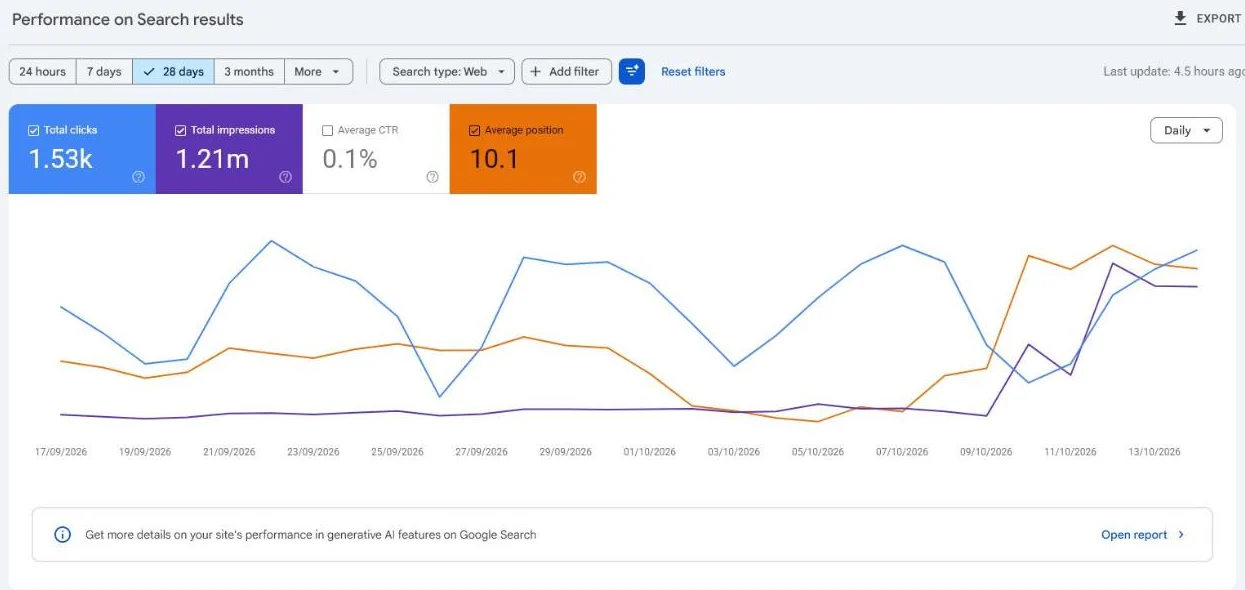 Our own Search Console for customerimpact.be, last 28 days, October 2026. Add a Country filter to see which markets already find you.
Impressions from a country without a language version are a demand signal.
Our Google Search Console guide shows how to set those filters.
Then pick the pages that already work
Start with the pages that deliver most in your home market:
- your most important service pages
- your strongest cases
- the content that already generates leads today
Those have the best chance of paying off in a new market too.
Three questions per market
Ask these before you translate a single page:
- Is there demand in that market (search volume, competitors winning customers there through content)?
- Can you actually serve that market (sales, support, delivery in the right language)?
- Will a translated version realistically deliver more revenue than the cost of translating, localizing and maintaining it?
If the answer is no twice, keep it simple.
A strong bilingual site (NL/FR) that performs in your real market delivers more than a half-hearted rollout in five languages.
Move fast, measure, then expand
A small team moves faster here.
You translate deliberately, measure whether it works, and only expand where the numbers justify it.
If you have real export ambitions, our content marketing service helps you build this out step by step.
The wider market picture sits in international marketing strategy.
How do you set up multilingual content correctly for SEO?
Give every language its own URL, link the versions with hreflang, and make each page match local searches.
Translating alone isn’t enough.
Google has to know which version belongs to which market, or your language versions compete with each other.
1. Give every language its own URL
A separate, indexable page per language (for example company.com/fr/) performs in search.
A translation button on your Dutch page doesn’t.
Google recommends exactly this: “different URLs for each language version of a page”. Its guide compares three URL structures:
| Structure | Example | Google’s pros | Google’s cons |
|---|---|---|---|
| Country domain | example.de | Clear geotargeting | Expensive, one country only |
| Subdomain | de.example.com | Easy to set up | Users can’t tell the target from the URL |
| Subdirectory | example.com/de/ | Easy to set up, low maintenance | Separation of sites harder |
For most B2B companies, subdirectories on a generic domain are the smartest choice, because they share your domain authority.
Your CMS decides how easy that is. WordPress, for example, can run native language versions:
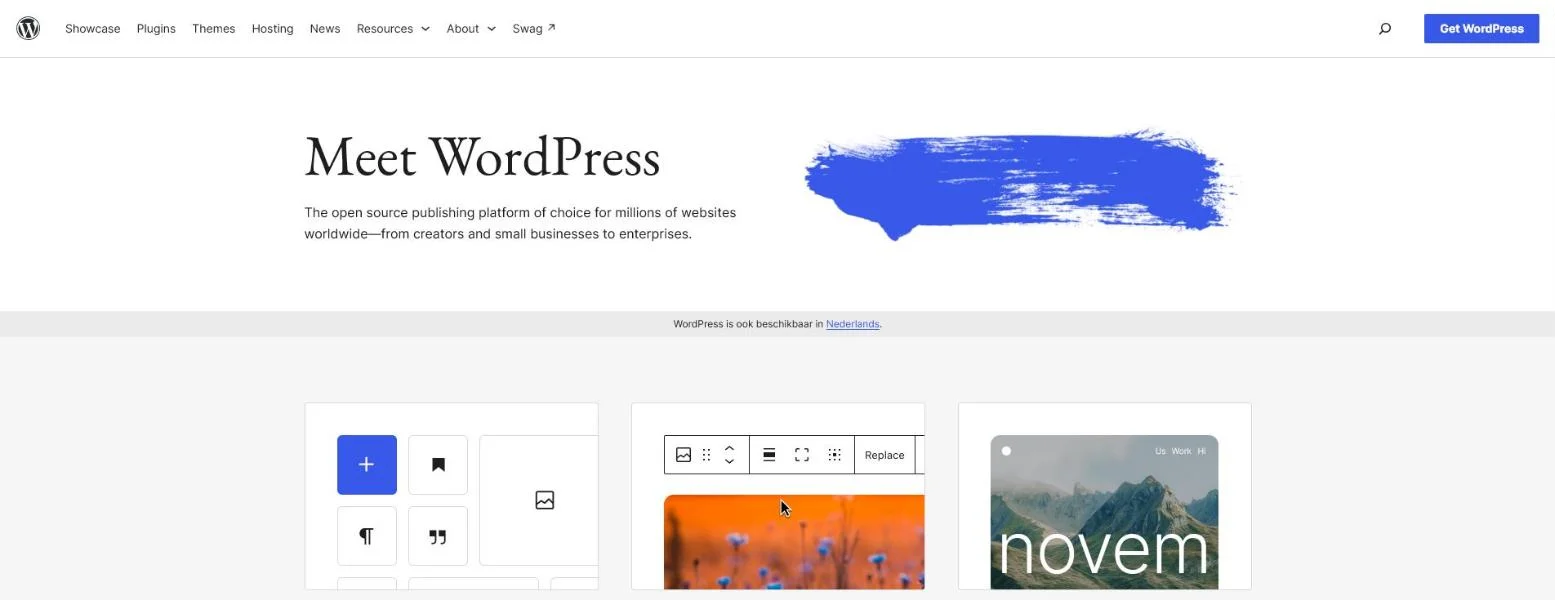 WordPress.org, October 2026. Language versions that live inside your own CMS are pages you own and can index.
2. Set up hreflang completely and reciprocally
Hreflang tells Google: this page is the Dutch version, that one the French.
Google’s rule is strict: “Each language version must list itself as well as all other language versions.” And “if two pages don’t both point to each other, the tags will be ignored” (Google on localized versions).
Skip that and Google may show the wrong language or treat versions as duplicates.
The full explanation is in hreflang tags explained.
Quick check: run a page through our free hreflang checker.
Broken tags? Our guide to fixing hreflang errors walks through each one.
3. Make the content deliver what hreflang promises
A French page translated word for word but without local keywords will rarely rank in France.
Localization and SEO belong together.
Hreflang points Google to the right page; the localized words win the click.
Watch out for translation tools that serve pages on the fly
Many sites run on a translation SaaS that sits on top of the CMS.
You pay a monthly fee, and the translations don’t live in your own system.
Moving away is possible without losing rankings, as we show in leaving a translation tool without losing SEO.
The options are compared in Weglot alternatives.
This is where translation and international SEO meet.
The full technical approach is in our guide on international SEO.
The essence: translated content without the right setup is wasted effort.
And the right setup without truly localized content is too.
What do you steer on: translated pages or customers?
Customers and qualified leads per market, never the number of pages or flags in your menu.
Many multilingual projects get judged on translated pages or languages in the menu.
Those are vanity numbers.
Fifteen language versions are worth nothing if no customer comes out of them.
Three numbers per language version
We measure multilingual content on:
- How many leads come out of each language version?
- What is their quality (do they match your ideal customer)?
- Does the extra revenue beat the cost of translating, localizing and maintaining?
When to let a language go
If that last question comes out negative, we’ll tell you to drop that language or approach it differently.
That isn’t a loss. It’s budget moving to a market where it does pay off.
Once your content catches on in a market, make sure it gets seen.
For that, read our approach to content distribution for B2B.
Frequently asked questions about content translation
Is Google Translate enough for my foreign-language content?
For internal use or a rough first draft, yes.
For content you publish to convince customers, no: automatic translation misses local keywords, nuance and your brand voice.
At the very least, have it proofread by someone who knows the language and the market.
What is the difference between translating and localizing?
Translating converts words into another language. Localizing adapts the entire message to the market: examples, tone, cases, currencies and keywords.
In B2B, localizing sells.
A literal translation shows that the text was meant for another market.
Do I have to translate my whole website?
No.
Start with the content that already delivers leads and revenue at home, and only for markets with real demand that you can actually serve.
Translating everything blindly burns budget.
Does bad translation hurt my SEO?
Yes. Half-translated pages, untranslated meta tags and duplicate content send confusing signals to Google.
On top of that, visitors drop off at wooden text, which weakens your position further.
How do I know whether it is worth it?
Not by the number of translated pages, but by leads and revenue per market.
If a language version delivers more than it costs, you expand. If not, you adjust.
Ready to make your content smartly multilingual?
Localize what earns revenue, let a human take the last step, and set it up right for SEO.
Want your translations inside your own CMS instead of a subscription tool?
See our translation tool migration and website translation services.
Curious which language versions would actually pay off for you? Contact us and we’ll map your markets first.
Free website scan
Enter your website and get an automatic scan within minutes, with concrete technical and SEO improvements. No sales pitch.
We only use your details for your scan. No spam, unsubscribe anytime.